
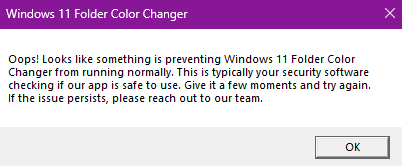
Most security software include features that scan unknown apps. In Windows 11 Folder Color Changer’s case, your security software is probably scanning our app when running it for the first time (or running the app for the first time after updating the app).
The app should start normally once your security software completes its checks and is satisfied that our app is safe to use.
Why does this happen after every update? Our app’s “footprint” changes with every build, so to your security software, it’s a completely new encounter.
Isn’t there a way around this? No, unless you want to disable important features of your security software. We don’t recommend doing so. It’s really proof that you’re getting your money’s worth from your security software in terms of protecting your computer.
Leave a Reply